
Secure account access
Customers can sign in securely to review balances, account status, and recent activity.
OTP transfer verification
Transfer requests are confirmed using a one-time password sent to the registered email address.
Guided account opening
Our team helps you get started quickly with clear account-opening guidance and next steps.
Support when needed
Reach us by phone or email whenever you need help with access, transfers, or account questions.

24/7
digital access for account review and transfer verification
About Us
Banking designed around clarity, support, and control.
Trustline Reserve is built around everyday member needs: secure login, quick balance checks, clear transaction history, and protected transfers with OTP confirmation.
Purpose-built access
Customers see the account information that matters most, with a straightforward route to secure login.
Responsive support
When questions come up, our support team is ready to help you with access, transfers, and account-opening guidance.
Our Services
Online banking access at your fingertips
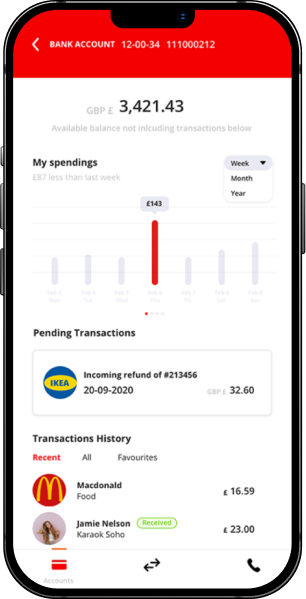
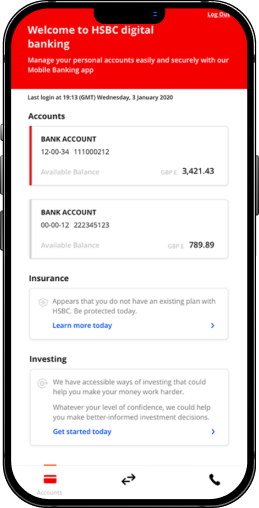
Digital Banking Access
See accounts clearly and confirm transfers securely.
Your digital banking experience centers on clear account visibility, recent transaction review, and OTP-confirmed transfer requests, backed by friendly support when needed.
Account visibility
Review balances and account status from the customer portal.
Transaction history
Monitor recent activity and keep up with account movement.
Secure sign-in
Access begins with protected customer login credentials and session controls.
Verified transfers
OTP confirmation adds a second check before transfer completion.
Common Questions
Answers to the questions customers ask most often
How do I sign in to online banking?
Use your registered username and password on the Customer Login page for secure account access.
How are transfers verified?
Transfer requests are confirmed with a one-time password sent to your registered email address.
How do I contact support?
Reach us by phone or email and include your name, registered email, and a short description of your request.